 Elanorya
For vintage sellers
When retouching deletes the product description
Most image tools exist to make a product look newer than it is. If you sell second-hand, newer is not better — the marks are what you priced, and removing them removes the thing the buyer was inspecting.
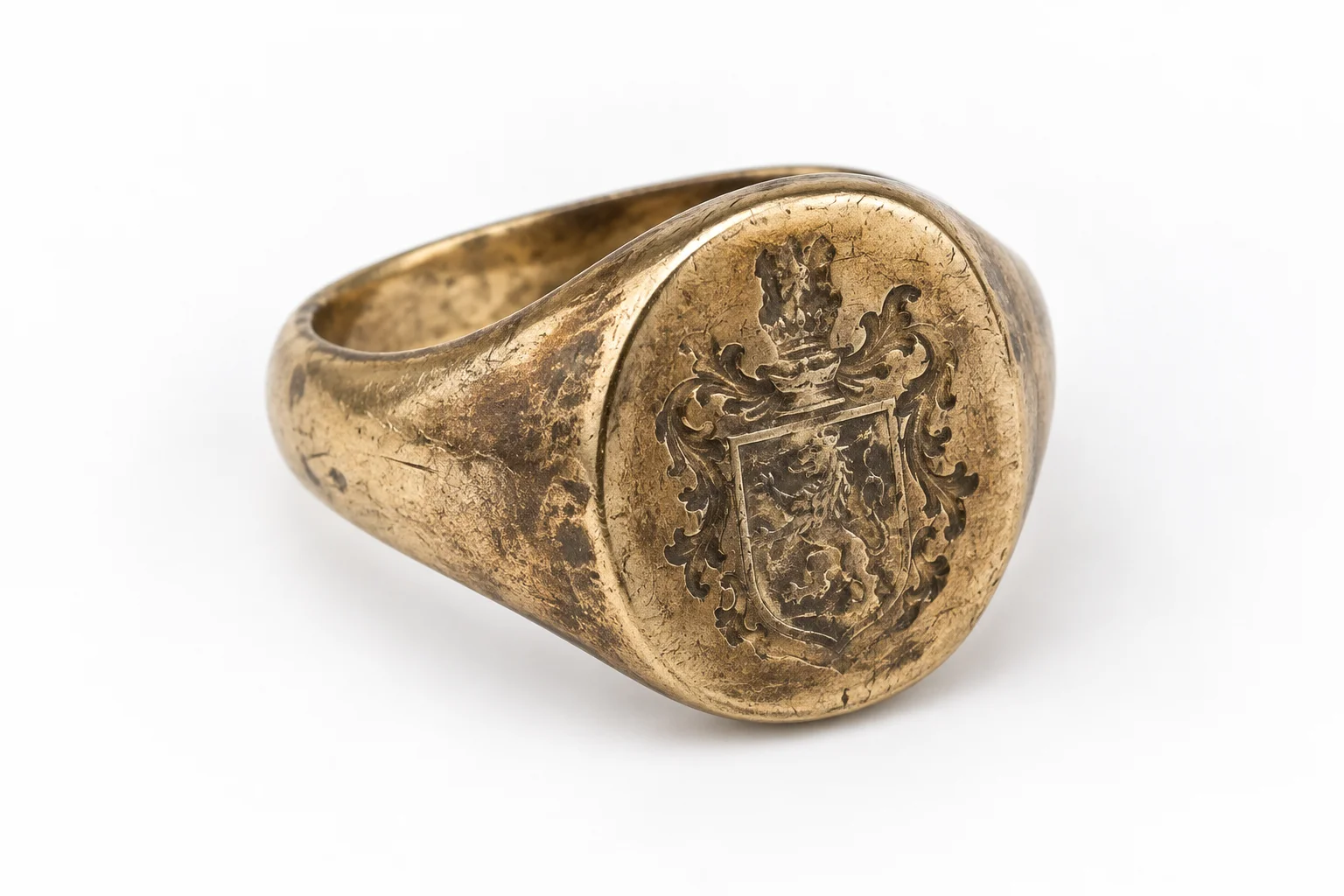
Improvement is the wrong default here
Image tooling is built on an assumption so common that it is rarely stated: that the goal is a better-looking product. Remove the background, even the light, clean up the surface. For new stock that assumption is harmless, because the object in the box is identical to the object in the picture either way.
Second-hand selling breaks it. A piece with fifty years of wear is priced on that wear — how much of the hallmark is left, whether the shank has been resized, whether the clasp is original. Those marks are not flaws in the photograph. They are the specification.
So the useful question about any image tool, for this kind of seller, is not how much it can improve a picture. It is how little it changes the object.
What the instruction actually asks for
Every generation carries the same preservation wording. It is worth reading closely if you sell second-hand, because two of its verbs are about you.
- Preserve
- Silhouette, topology, openings, links, closures, stone count, motifs, engraving, metal colour, proportions and item count are all named individually rather than covered by a general instruction.
- Do not simplify
- Simplification is exactly how wear disappears: a worn engraving becomes a clean one, a softened edge becomes a sharp one. The instruction names it as something not to do.
- Do not redesign or replace
- A replaced clasp or a non-original stone is part of what you disclosed. An image that quietly restores it contradicts your own listing.
- Instructed, not guaranteed
- This is an instruction to a generative model, and the app's own wording says output varies. Checking is your step, and on a single piece it is not optional.
Before you publish a generated image of a used piece
Five checks, all comparisons against your own source photograph.
- The wear you described in the listing is still visible in the result.
- Engraving and hallmarks are no cleaner than they are in your source photo.
- Stone count and any replaced components are unchanged.
- Proportions match — a resized shank should still look resized.
- Condition is documented in your own close photographs, not inferred from the preview.
What this does not do
- It does not document condition. Wear, hallmarks and repairs need your own close photographs.
- It does not authenticate, date or value a piece.
- It does not connect to any marketplace. Images are exported and uploaded like any others.
- It does not guarantee preservation. Preservation is instructed, and verification is yours.
Questions
Will it clean up the wear on my piece?
It is instructed not to. The preservation wording names engraving, proportions and metal colour specifically and tells the model not to simplify or redesign. That is the right default for second-hand — but it is an instruction rather than a guarantee, so compare the result against your source photograph before publishing.
Can I use it to photograph condition?
No, and that is a category difference rather than a limitation to work around. A worn preview shows scale and drape. Condition needs close photographs of the actual marks, taken by you, and those are what your description should be written from.
What if the result changes the piece?
Report it and do not publish it. The report reason list opens with exactly that case. On a one-of-one item the image functions as the description, and a description that does not match the object is a return waiting to happen.
Is this useful for estate lots at all?
For scale and drape, yes — those are the parts that batch well. Condition work does not batch, because it is per-object by definition. Splitting the two is what makes a large lot tractable.